PRONAX Dust Shoe & Cleaning Module: Prep and 3D Printing Guide
 Updated
Overview
The PRONAX dust shoe and air-blow cleaning module are two 3D-printed add-ons that keep chips off your workpiece: the shoe captures dust at the cutter, and the module uses a solenoid valve to blow chips away. You print the plastic parts yourself, then combine them with the hardware in the accessory kit. Print the parts first, then assemble each module in turn.
What you need
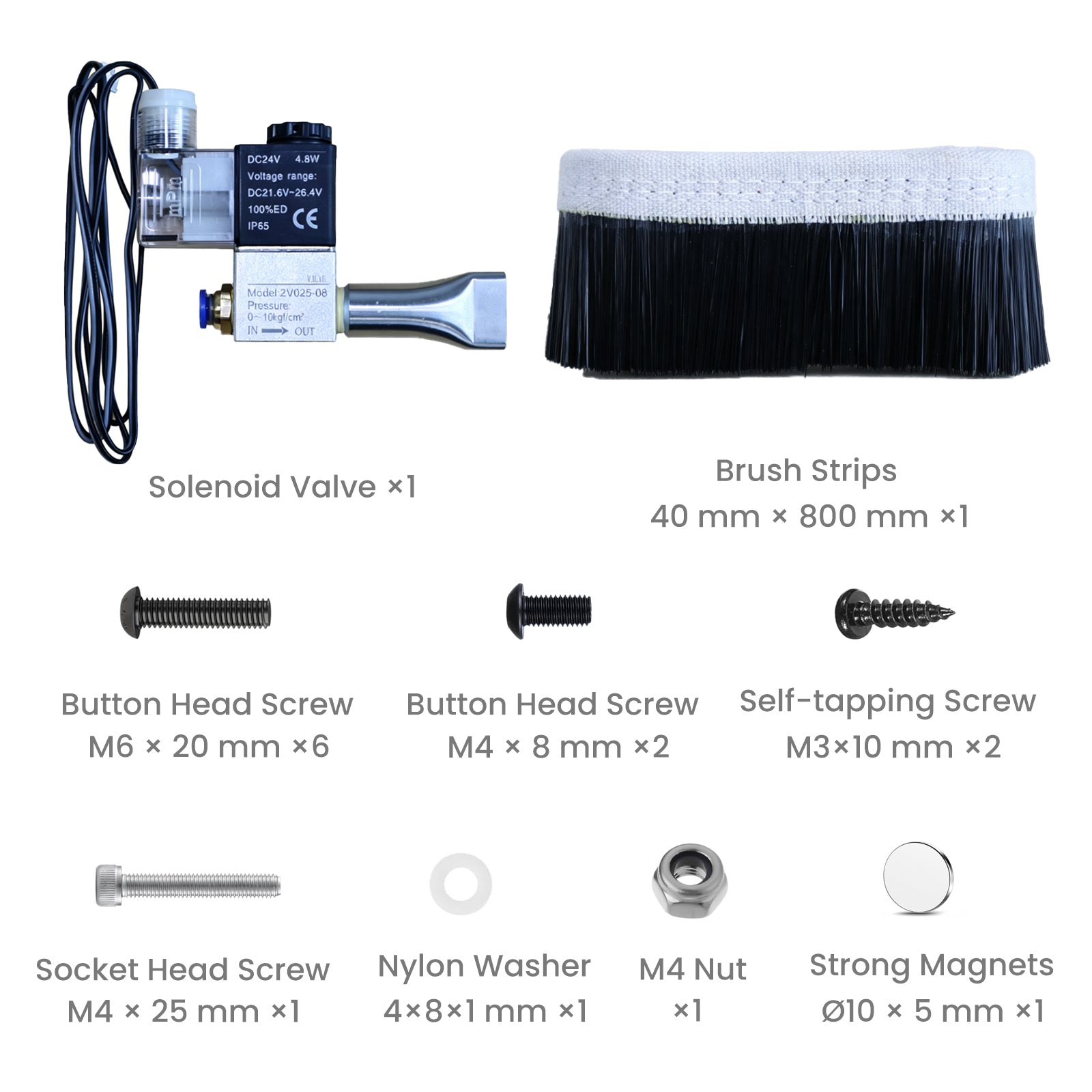
The accessory kit is split between the two modules. Check the counts before you start; the dust shoe uses only half of the M6 screws in the bag.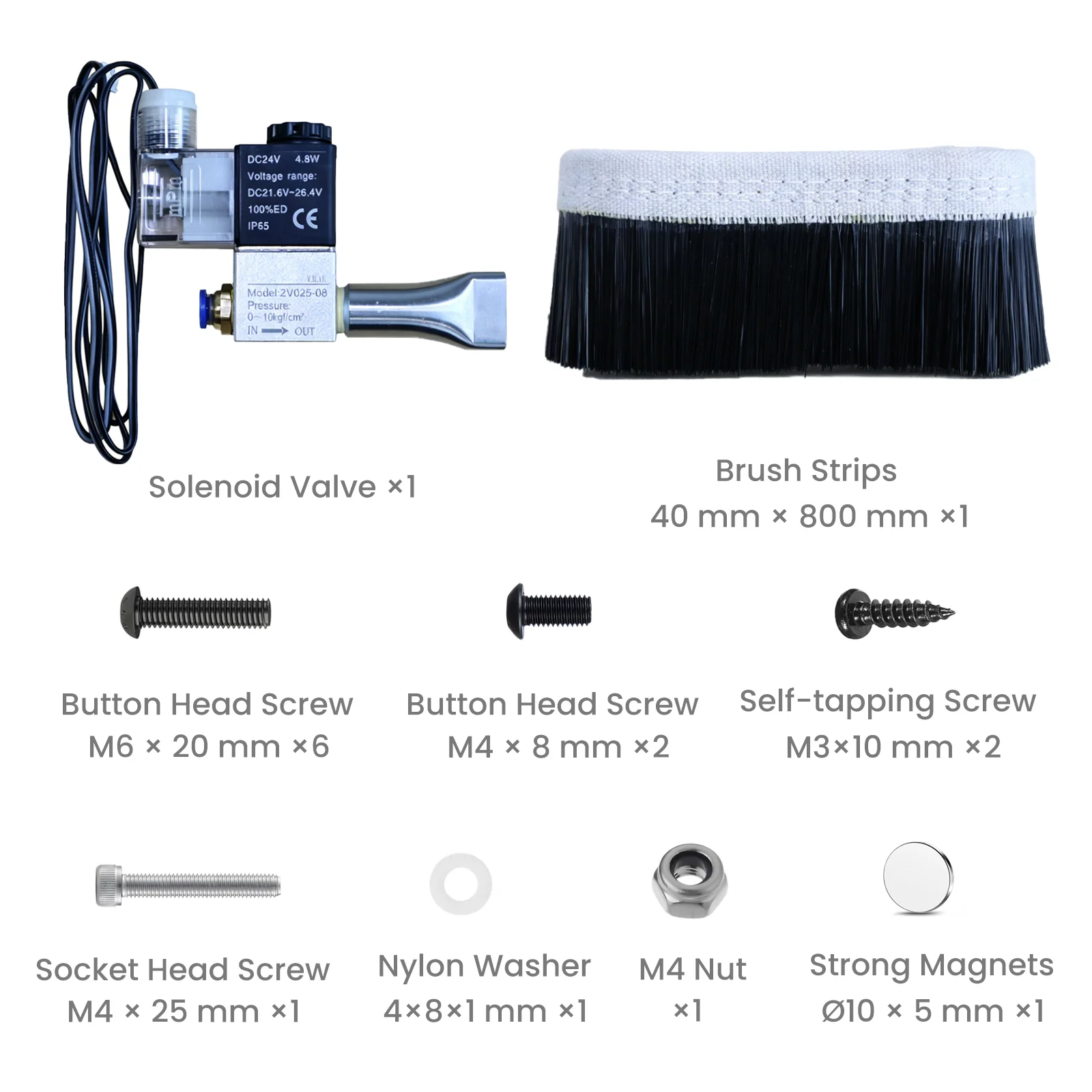
Part | Dust shoe | Cleaning module |
Brush strip, 40 mm × 800 mm | 1 | – |
Button head screw, M6 × 20 mm | 3 | 3 |
Socket head screw, M4 × 25 mm | 1 | – |
Nylon washer, 4 × 8 × 1 mm | 1 | – |
M4 nut | 1 | – |
Strong magnet, Ø10 × 5 mm | 12 | – |
Solenoid valve (24 V DC) | – | 1 |
Button head screw, M4 × 8 mm | – | 2 |
Self-tapping screw, M3 × 10 mm | – | 2 |
You will also need a 3D printer (FDM is fine), and a hex key set for the socket and button head screws.
Download and print the parts
- Download the Dust Shoe and Cleaning Module STL files and unzip the folder.
- Open each STL in your slicer and keep the orientation that lies flat on the bed, so you need little or no support.
- Print with a strong, heat-tolerant material such as PETG, ABS or ASA. PLA works for a first test but may soften near a warm spindle.
- Starting settings: 0.2 mm layer height, 3 walls, 20–40% infill. Raise the wall count for the screw holes and the magnet pockets.
- Test-fit the hardware before assembly. If M6 or M4 screws bind, clean the holes with a drill bit one size up rather than forcing them.
These settings are suggested starting points, not factory specs; tune them for your printer and filament.
Assemble the dust shoe
The shoe uses the brush strip, three M6 × 20 mm button head screws, the M4 × 25 mm socket head screw with its nylon washer and M4 nut, and 12 magnets.
- Press the 12 magnets into the pockets of the printed shoe. Check polarity on the first magnet and keep every magnet the same way round; a spot of glue keeps them in place.
- Wrap the brush strip around the printed shoe so the bristles hang below the bottom edge, then trim any excess length.
- Fix the shoe to its mount with the three M6 × 20 mm screws.
- Fit the M4 × 25 mm screw with the nylon washer and M4 nut as shown in the video, and snug it down without crushing the print.
The exact mounting positions are shown in the video linked below; check against it before tightening.
Assemble the air-blow cleaning module
The module uses the solenoid valve, the remaining three M6 × 20 mm screws, two M4 × 8 mm button head screws and two M3 × 10 mm self-tapping screws.
- Mount the printed cleaning module bracket with the three M6 × 20 mm screws.
- Secure the solenoid valve to the bracket with the two M4 × 8 mm screws, with the nozzle pointing at the cutting area.
- Use the two M3 × 10 mm self-tapping screws to fix the remaining printed cover or clip; drive them in slowly so the plastic does not split.
- Connect the air line to the IN port and the 24 V DC wiring to your controller as described in the PRONAX manual. The valve is rated for 0–10 kgf/cm² and 21.6–26.4 V.
The exact mounting positions are shown in the video linked below.
Tips and video
Watch the PRONAX dust shoe and cleaning module video for the exact mounting positions. Keep the bristles clear of the cutter before every job, and test the air valve with the spindle off first.
