PRONAX Forge Resource Page
 Updated

Introduction
This compendium is a collection of resources for the Genmitsu PRONAX Forge provided by SainSmart and community members.
Join our Facebook group for discussions and project ideas for your new CNC machine.
Assembly
- PRONAX Forge User Manual (Click to view PDF version of user manual)
- Download the USB Stick Content (Click to download)
- NAX5 ATC System Installation Guide (Click to view)
- PRONAX Forge Platform Kit Installation Guide (Click to view)
- Dust Shoe and Cleaning Module Prep and 3D Printing Guide (Click to view)
- Dust Shoe and Cleaning Module 3D Printing Files (Click to download)

CNC Controller Software Installation
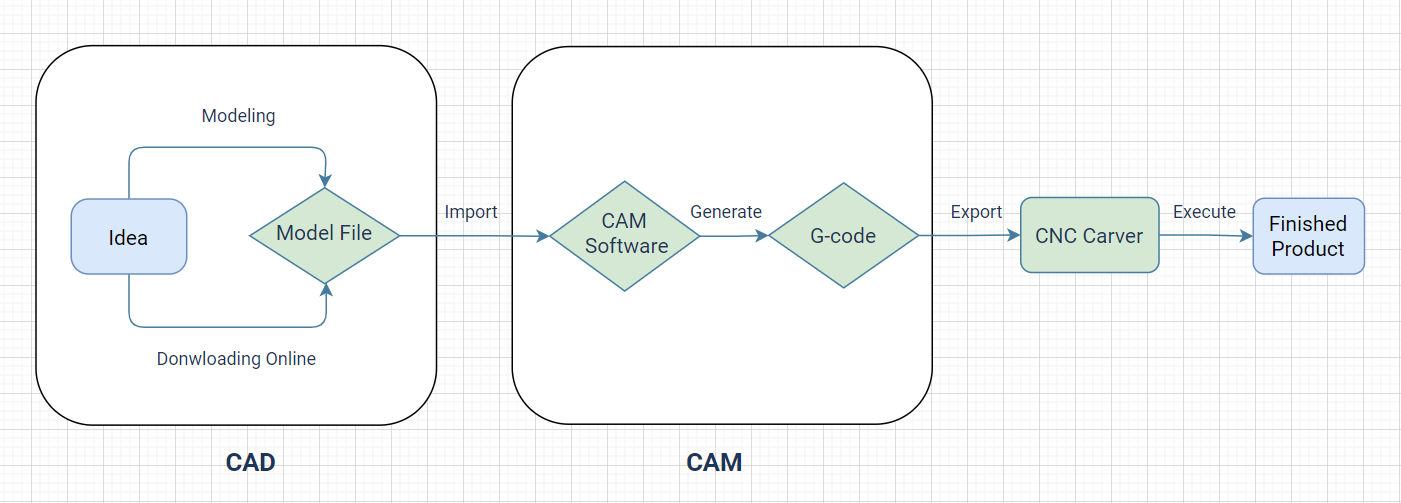
(img source from web)
Driver
Installing the CH341SER driver will allow your computer to recognize the CNC controller board as a serial device, which can then be used with Candle or other CNC control software.
- CH341SER Driver (For Windows): If Windows does not do so automatically when you connect your CNC to the computer for the first time, this downloadable file is the Driver which is needed for your computer to be able to communicate with your CNC.
- CH341SER Driver (For Mac): This driver will not install automatically and must be installed as dictated by the instructions included in the .zip file at this link.
- CH341 Installation Guide: Although this guide is about CH340, it also applies to CH341. CH341 is a newer version of the CH340 and has some added features. CH341 supports I2C, SPI, and 8-bit parallel bus interfaces, whereas CH340 only supports serial communication.
Control software
UGS (Universal Gcode Sender) for MacOS, Linux, and Windows Users
UGS is a cross-platform software application that runs on Windows, Mac, and Linux. You can download and install UGS on your computer to communicate with your CNC machine.
- UGS is an open-source software and has an active user community, so you can find a lot of resources and support online.
- Click here to download UGS
- The UGS Wiki is a comprehensive resource that covers everything from installation to advanced usage. It includes tutorials, FAQs, and troubleshooting guides. You can access the UGS Wiki at https://winder.github.io/ugs_website.
Candle (Optional for Windows users)
- How to Install Candle/GRBLControl for Windows
- GRBLControl/Candle 1.17 (For Windows): Link downloads a .zip file containing a full copy of Candle, the software you can use to run your CNC through your computer. Must unzip the entire folder to use it.
Troubleshooting
- GRBL Error Code List & Meaning: Whenever something is going wrong with your CNC, GRBL tries its best to provide you with an error code to help you in diagnosing and resolving the issue you are having. This information is invaluable in getting your CNC back up and running, so we suggest that you keep an eye out for error codes and make sure to include this information if you need further support from us.
- CNC Router Troubleshooting (Click to view more)
Other CAD/CAM Software
- Fusion 360 Guides:
- Carveco Maker:
- Easel:
- Link to Website (No download necessary, registration required to use)
- Vectric V-Carve (Desktop version is available on SainSmart.com)
