Genmitsu 4030 V2 Wi-Fi Module Firmware Update Guide
Genmitsu 4030 V2 WiFi Module Firmware Update Guide. Firmware download (Click to download) This guide describes how to update the firmware of the Genmitsu 4030 V2 WiFi module with IAP_Programmer. 1. O…

Genmitsu 4030 V2 WiFi Module Firmware Update Guide
Firmware download (Click to download)
This guide describes how to update the firmware of the Genmitsu 4030 V2 WiFi module with IAP_Programmer.
1. Open IAP_Programmer
Open the update folder and launch IAP_Programmer.
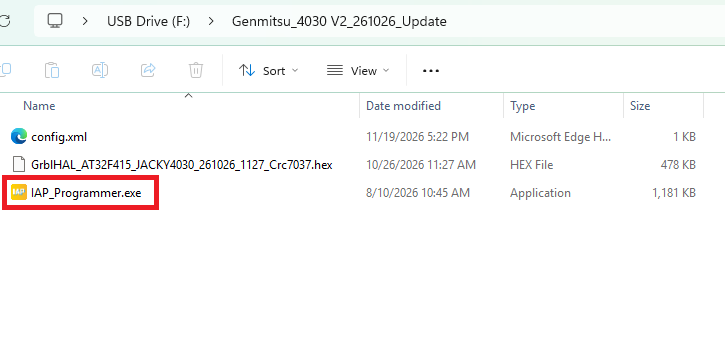
Figure 1. Launch IAP_Programmer from the update folder.
2. Select the firmware file
In the IAP_Programmer window, click the browse button in the file path row, then select the corresponding firmware file. In the file dialog, confirm the selected file and click Open.
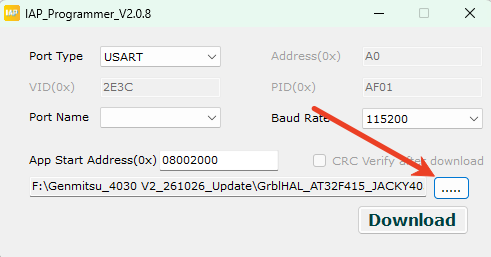
Figure 2. Click the browse button to choose the firmware file.
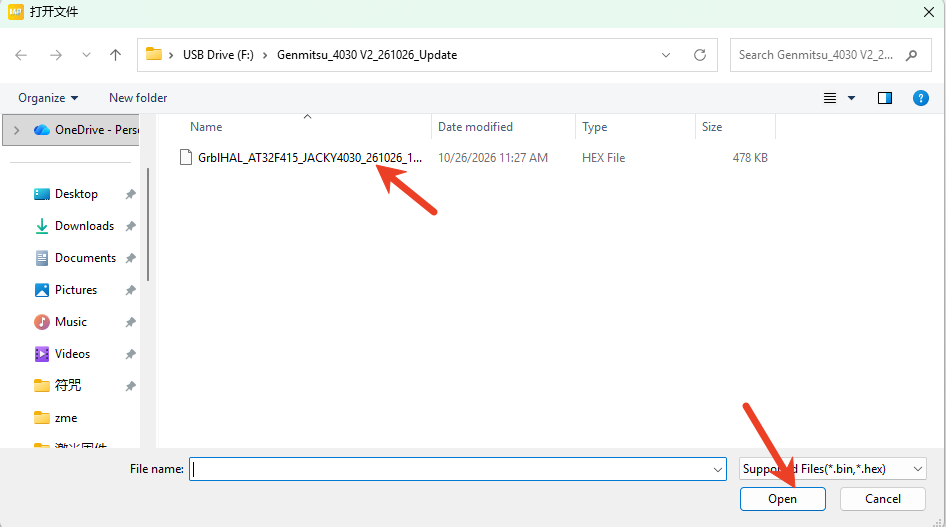
Figure 3. Select the matching firmware file and click Open.
3. Power off the control box
Disconnect the USB cable from the control box, then switch off the control box power.
4. Reconnect USB and start the update
Restore power to the control box. Within 10 seconds, connect the USB cable. The computer will automatically detect the Port Name, for example COM4. Confirm the detected port and click Download.
Timing matters: connect the USB cable within 10 seconds after powering on the control box so that the serial port can be detected. |
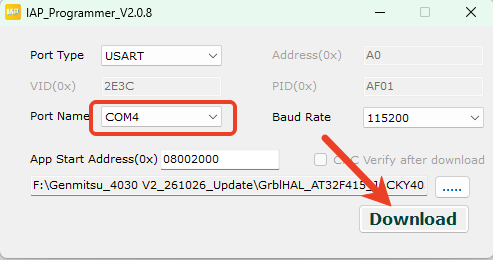
Figure 4. Confirm the detected COM port and click Download.
5. Wait for the firmware update
Wait while IAP_Programmer downloads the firmware and the progress indicator advances.
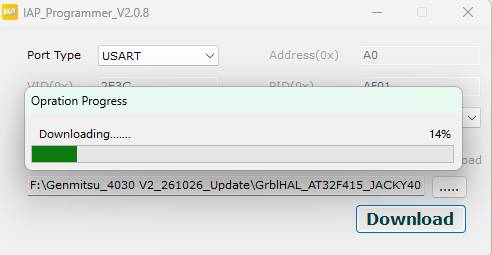
Figure 5. Wait for the download progress to complete.
6. Confirm completion
When the Download succeed! message appears, click OK. The firmware update is complete.
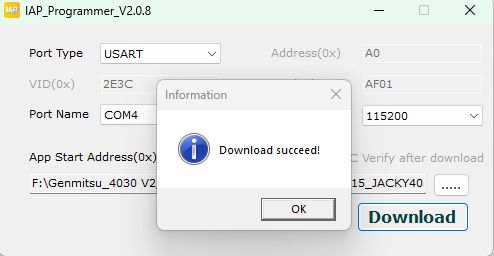
Figure 6. The firmware update has completed successfully.
How did we do?
PROVerXL 4030 V2 Resource Page